|
|
|
PLANETARIUM
- CALCULATORS - IMAGING
|
|
Capture One Pro - DxO
Optics Pro - Photomatix
Pro - Lightroom - LRTimelapse
- PixInsight - PTGui
DeepSkyStacker
-
Nikon Capture NX
- Autostitch
- Viveza
- Photoshop - Terragen -
Bibble
- MIRA AP
MaxIm DL/CCD -
PRiSM -
ESA/ESO/NASA
FITS Liberator - Picture Window Pro
- IRIS
QMiPS32 -
CCDPro - StellaImage - PaintShop Pro
- Photo-Paint - Photo Editor
- Deep Sky
2000 IP module
Image
Tool - Image32/Pro
- PRISM
- MS-Paint - Photo
Styler - Anti Blooming
HF
Propagation programs - Ham, DSP and satellite tracking software
|
|


(c)
1999-202012 Cyanogen Productions Inc.
$199-$599
|
MaxIm
DL/CCD Due
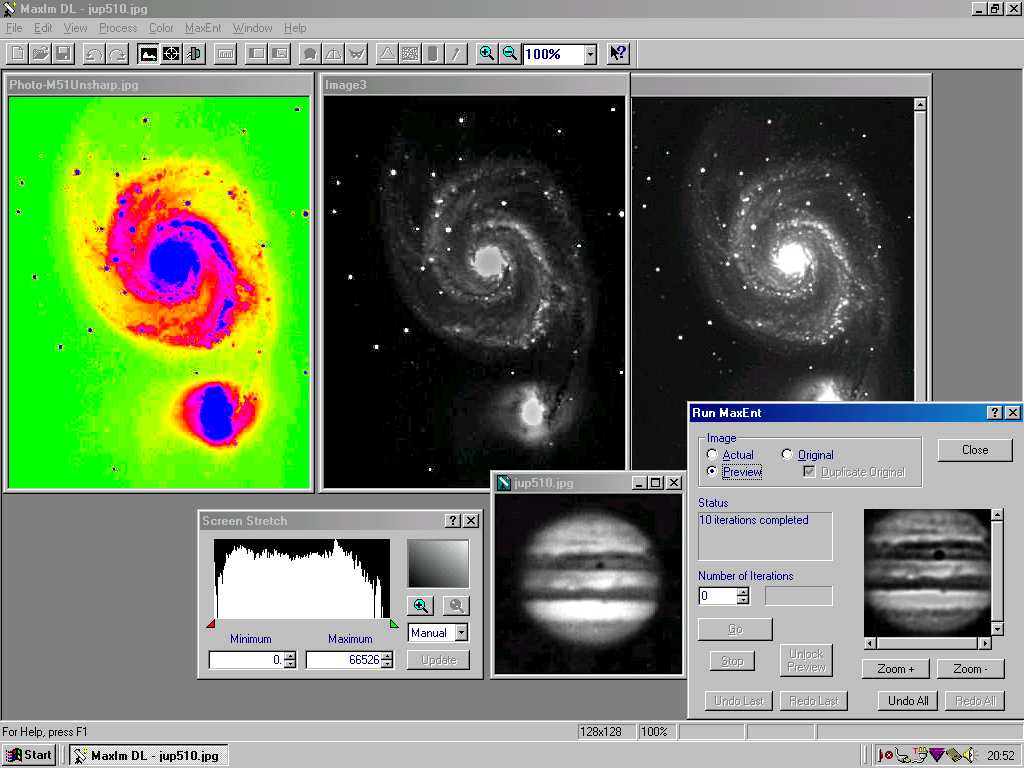
to its powerful Maximum Entropy Deconvolution function (MaxEnt) and its ability to driver most of CCD cameras, MaxIm DL/CCD became a product
acclaimed by all astrophotographers working with digital images. MaxIm
DL/CCD includes "MaxEnt", a sophisticated tool able to enhance features lost in blurry images.
This tool comes with an automatic Point-Spread-Function (PSF) to extract
star image, Gaussian or Exponential curve, noise extraction from models
and a wizard to make the tool more easy to use. MaxIm
DL/CCD supplies also standard imaging tools to alter pictures both in geometry
and colors (even in false color), it can align pictures for a later B/W or
color combination (including LCMY) or extraction, resize with
interpolation, remove bad pixels or stretch the image. You can also easily
postprocessed your images with the advanced imaging filters like FFT,
Kernel, High and Low pass, unsharp mask, all functions including a preview
window. This
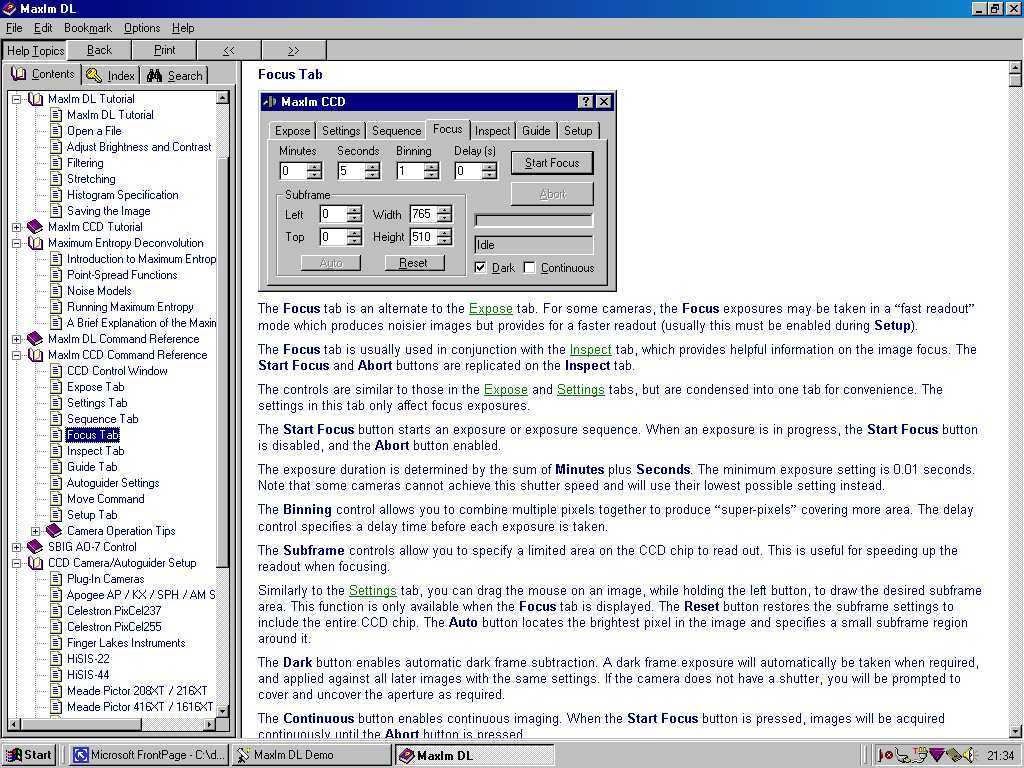
marvellous software is completed with MaxImDL/CCD Camera Control able to
driver with accuracy most CCD cameras and filter wheels (AP, Astrovid,
Celestron, Meade, HiSIS, SBIG, webcam, etc). You set the exposure, focus,
binning, color sequence (if need) and control the autoguider (even asking
it to take some pictures) through a simple menu. Once recorded, MaxIm
DL/CCD includes a CCD image Calibrator supporting bias, dark and flat
field frames for preprocessing. All these functions make of MaxIm DL/CCD a
product I warmly recommend to all CCD users. For
the beginner, MaxIm DL/CCD comes with a powerful on-line help with
examples (including 70% of the manual) and a detailed 250 pages
manual. MaxIM
DL/CCD can read RAW images recorded by DSLRs or CCD cameras, and supports
in reading and saving 32-bit FITS, 16-bit TIFF, SBIG, PC-Lynxx, PNG, BMP
and JPEG formats. Now
at version 5, MaxIm DL runs on all Windows platforms. No update nor upgrade
is required for Windows XP, Vista, or Seven.
|
|


(c)
2000-2016
Alcor
Systems, US site, 150-330€
|
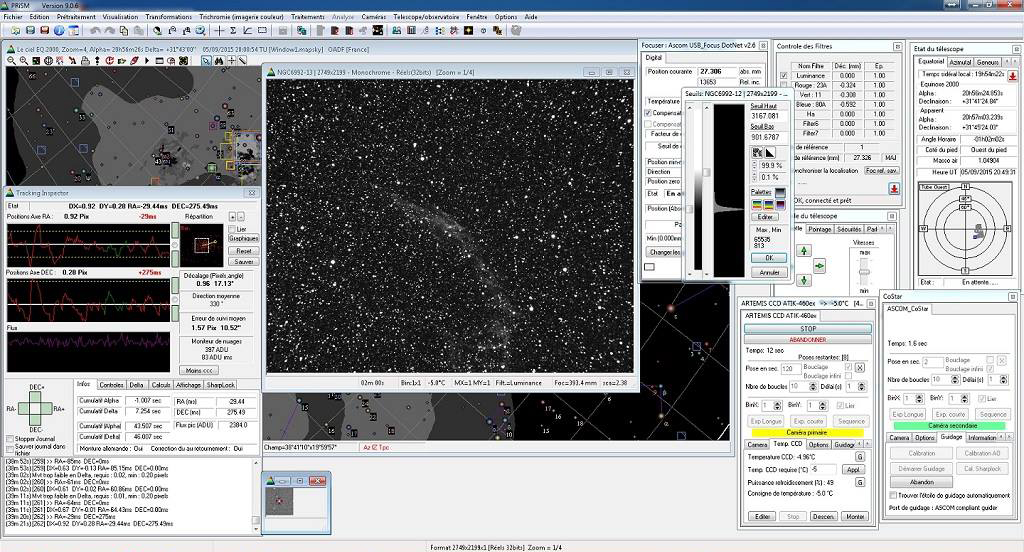
PRiSM
Written
by Gregory Giuliani, PRiSM is a complete software, including in this new release a planetarium, an
image processing tool, a telescope driver, and more.
It was selected by several professional observatories worldwide from
Pic-du-Midi to MMT and ESO. Version 10 was elected as "Hot Product
2016" by Sky & Telescope.
Polar alignment using the King Method is simple and our pointing model capability will ensure your mount is always on target.
The
image processing module of PRiSM allows you to preprocess (background and
bias compensation, normalization, dark frame, flat field image, etc) or
postprocess your digital or CCD pictures. It includes all useful functions
as filtering and trichromy with sub-pixel alignment, without to forget the
standard arithmetical and geometrical operations (addition, substraction,
enlargment, mosaic, planisphere, etc).
Sophisticated image tools allow easy identification of your best images.
PRiSM also includes photometric and
astrometric tools (data reduction and more), on par with MIRA Pro.
In
parallel, PRiSM can drive some CCD cameras (Audine, FIERA, Hisis, KAF0400,
SBIG, MX5, etc) and telescopes interfaces (LX200, Celestron Ultima, Sky
Commander, NGC Max, Micro-Guider, Eureka, Ouranos and is compliant with
Very Large Telescope TCS) including PEC support, MCMT encoders and
electrical focusers.
The
new version has a fully automatic observation function from opening the dome
or roof, cooling the camera, auto focusing, auto centering the target, and
capturing images. It can even warm up the CCD camera, park the telescope and
close the roof or dome. It will even monitor your weather station or cloud sensor
to make sure you get as many observations as possible from your imaging system.
See
also the software part of this review for an overview
of the planetarium module (version 4).
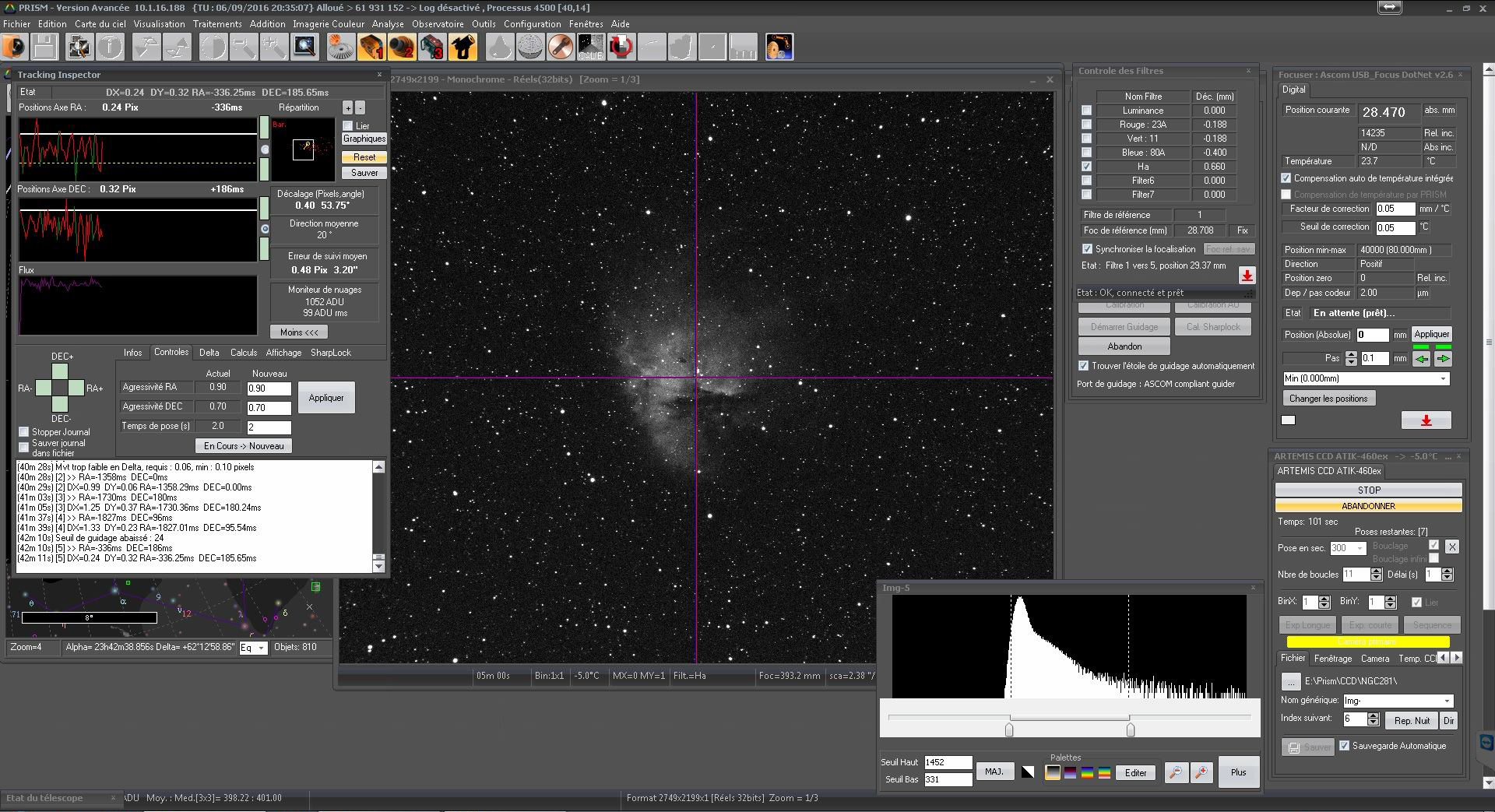
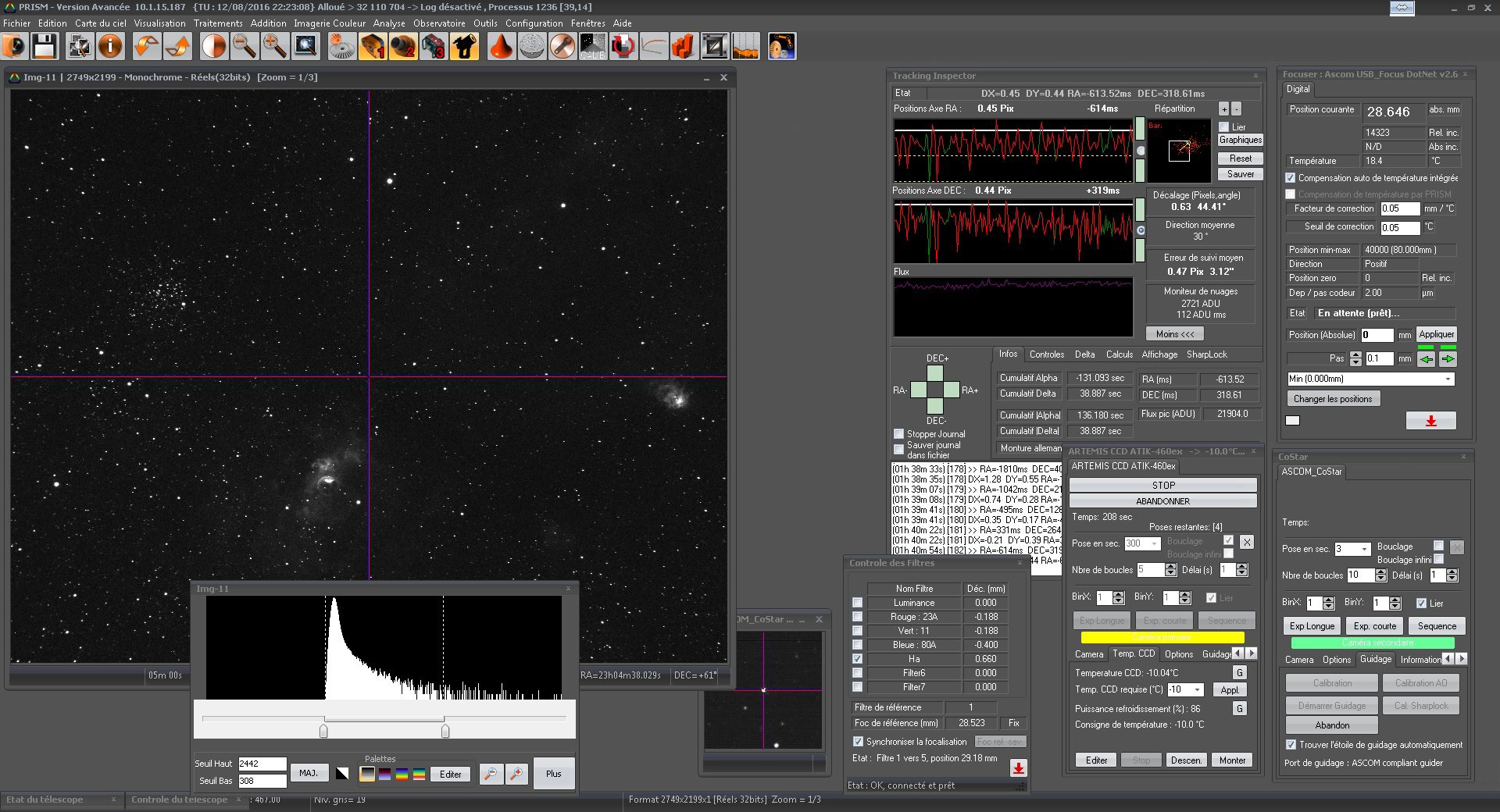
The
two first screenshots at left are those of version 10 advanced, while the
third screenshot is the one version 9 advanced.
Now
at version 10, PRiSM runs on all Windows platforms.
|
|

(c)
2010, ESA/ESO/NASA,
freeware and open source
|
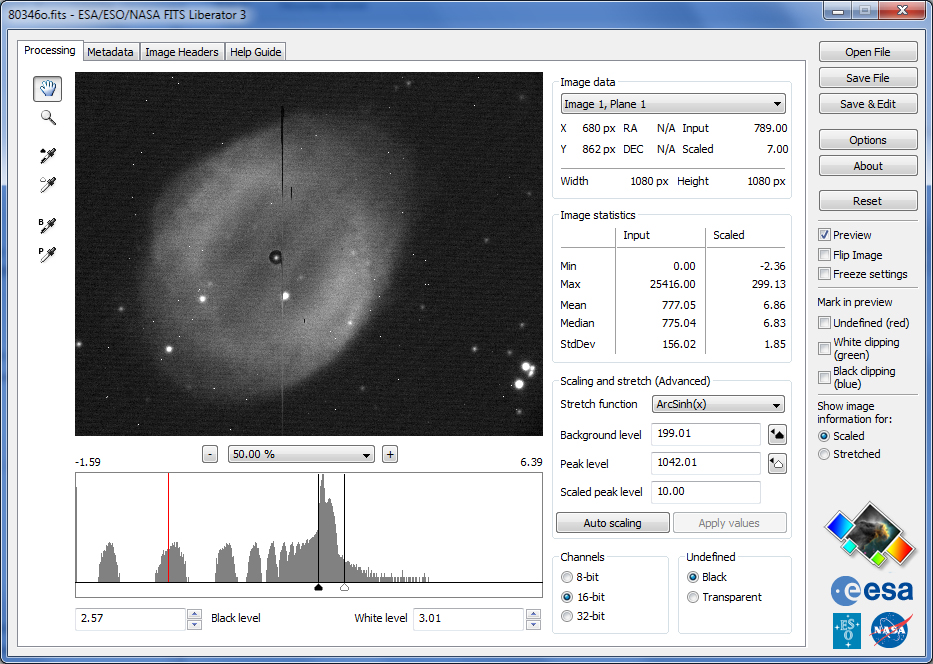
ESA/ESO/NASA
FITS Liberator
ESA/ESO/NASA FITS Liberator is an image processing
software supporting only FITS and PDS formats and saving only in TIFF
format. It uses is thus limited for amateurs and mainly reserved to those
taking LRGB images.
FITS
is the raw image standard used by all professional observatories like ESO
VLT, CFHT, NRAO, AAT, space telescopes like Hubble (HST), Spitzer, XMM,
and planetary probes like Cassini–Huygens or MRO without to forget your
personal FITS images recorded with your CCD camera.
FITS
Liberator includes a faster and more streamlined workflow than the
previous version. The CPU-intensive calculations have been optimised, allowing time savings
of up to 35%. For large images the savings in efficiency are even more
pronounced, also thanks to a delayed application of stretch functions.
To
sustain the future development of the software the entire source code
-about 30000 lines of code - is being released as open
source, and anyone wishing to contribute to future versions of the
programme may do so.
FITS
Liberator is now at version 3 and works on MacOS X and all Windows 32-bit and 64-bit platforms.
The
program is 5 MB in size and installs in a few seconds. Note that for
a same resolution, a FITS image is usually 3 to 4 times larger than
a RAW image recorded by an DSLR.
You will find FITS images on the
CFHT Science Data Archive.
Here is a sample FITS image of M57 (2.3
MB).
Note
that FITS is most of time not supported by amateur software, not even by
Photoshop CS and any viewer, excepted in adding them a plugin. So, if
you are searching for a software supporting FITS format, for viewing or
editing, you will find additional tools and converters on the GSFC-NASA
website. FITS format is also supported by MaxIm DL,
MIRA and IRIS among others.
|
|


(c)
1997-2002 Digital
Light & Color,
$89
|
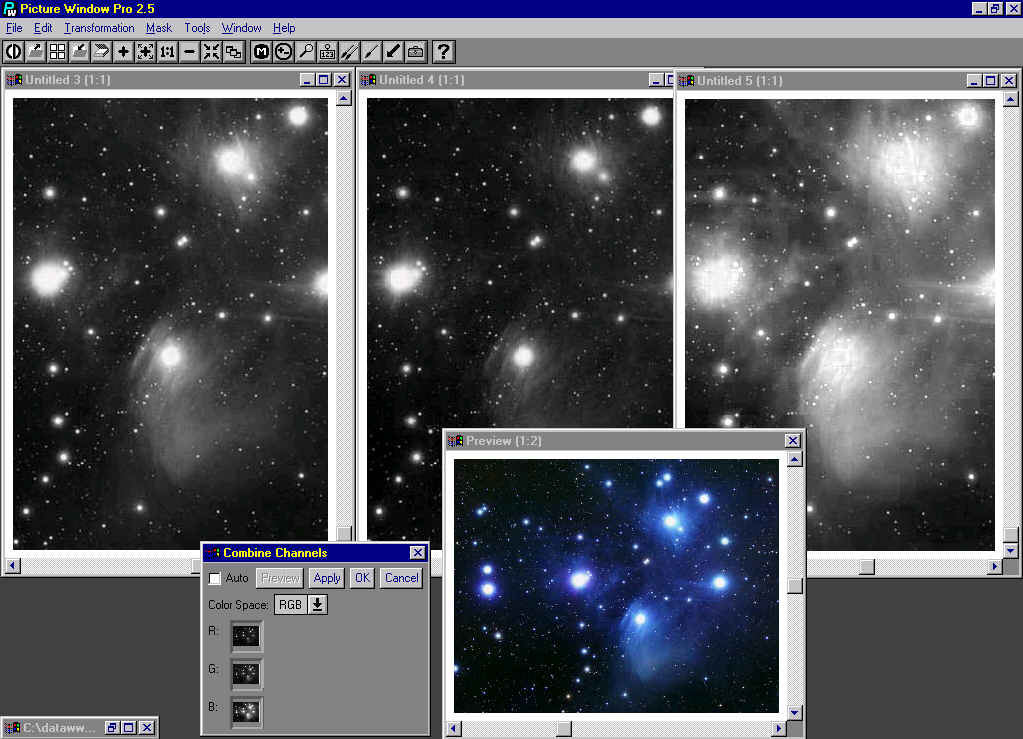
Picture
Window Pro
This
program is suited for both pure photography and astrophotography
processing. A context-sensitive help is always available as well as an
electronic manual in Adobe Acrobat format.
This
particularly interesting application is able to load multiples
files doing a multi-selection. It includes basic image editing
functions to alter
images (geometry, color or luminance) but also more powerful tools like
perspective correction, photomontage with scaling and warping.
Beside
standard arithmetical functions there are some dedicated to pure
photography. Various retouching tools for example allow you to work with
scratched negatives or prints. You can paint and clone features to remove
imperfection, lighten or
darken selected areas of an image. A color
correction transformation adjusts skin tones in a portrait without
altering the others colors in the image, tint transformation colorises B/W
images, Red Eye tool lets you suppress the red pupil when a flash is used,
etc.
The Mask dialog box contains
a Color Similarity tool able to erase undesirable features by dragging an
input color or range of colors over another region of the image. The Light
Falloff transformation allows you to compensate light for the tendency of
some lenses to produce unbalanced image. The Color gradients fades
smoothly one color in another. The lasso tool and similar masks allow you
to suppress undesirable backgrounds. At last like in many similar products
some special effects tools are available including vignetting, distorting,
embossing, edge enhancement, spiral, etc.
For
astrophotography and post-processing purposes, other functions like an
image blinking comparator is provided to find moving or new objects, a
Stereo transformation prepares pairs of stereo photographs and, last but
not least you can create composite by accurately registering and aligning all
images so their data be combined pixel by pixel to create a high resolution B/W or RGB
composite. This tool includes a preview mode and various filters to
lighten, darken or add, blend, etc your composite.
Compared
to the previous releases 2.5, version 3.x support color management too,
a color match output, a new smart brush mode, new support for displaying
and editing file comments added by digital cameras, a web slide show and
new transformation tools (rotation during cropping, fan effect, shadowed
text and more).
Picture
Window Pro supports 16-bit B/W and 48-bit color images and can exchange
data in numbers of formats including BMP, FITS, GIF, JPEG, RLE, TIFF with
full Photo CD support and TWAIN-compatible scanners. This
new release is sold with a discount on IT8 target and software, a complete
color calibration bundle for scanners, previously used in the graphic art
industry. Now
at version 3.5, Picture
Windows Pro runs on all 32-bit Windows platforms. A 24-bit display adapter is highly
recommended.
|
|

1999-2010,
Christian
Buil
Freeware
|
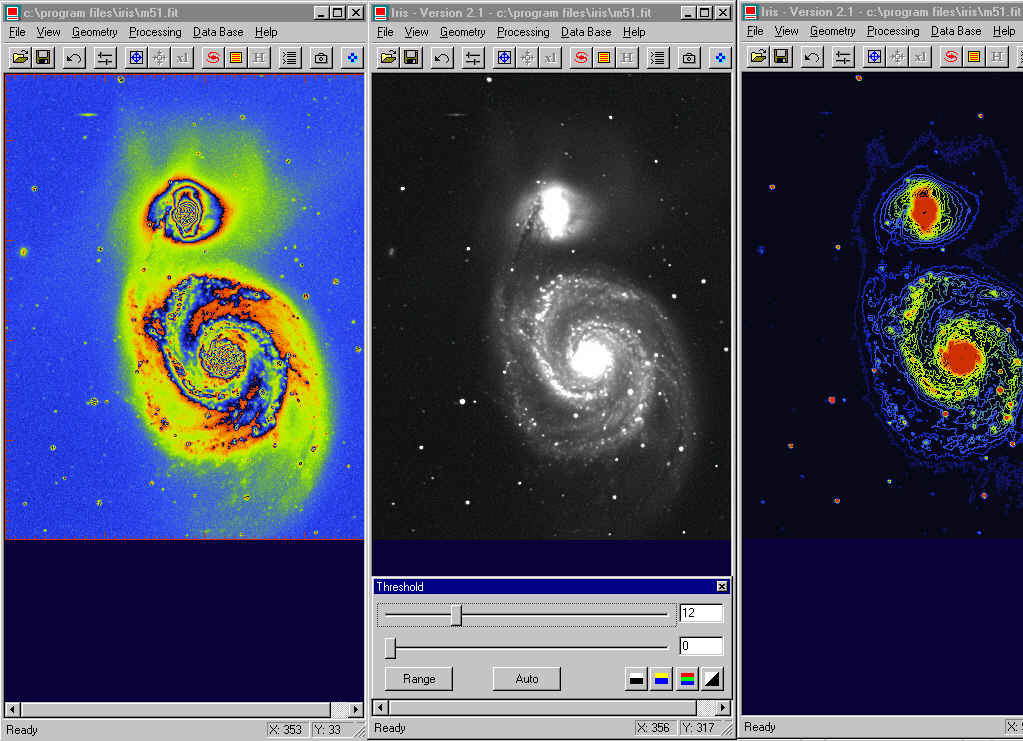
IRIS "Here
is" a small but excessively powerful tool
easy to use to enhance and process your digital astronomical images.
Created
by the french CCD expert Christian Buil from CNES, this program needs no
more than 2 MB on disk, but includes all major functions you need to post-process your
pictures.
IRIS
supports RAW images from various recent DSLRs as well 48-bit FITS and PIC
formats. It also imports BMP, JPEG, PNG, and TIFF images. Images can be
saved in RAW Photoshop, TIFF and PNG formats.
IRIS
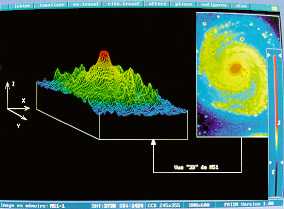
provides rare "all-in-one" features like color or B/W isophotes
mapping, 3d display or ramp (tricolor).
It supplies a dynamic threshold, some geometry alterations plus
usual filters and last but not least an unsharp mask.
It can also be connected
to external databases on CD-ROM as GSC, TYCHO-2, USNO-A, QMiPS32 or MicroCat.
At
last IRIS has capabilities to manage astrometry and photometry datas and
includes a built-in module to drive a LX200 mount (guide, center, find and slew)
or a webcam throug a COM port.
Now
at version 5.8, IRIS only runs on Windows platforms. A complete tutorial is
available on Christian Buil's website.
|
|

1998-2000,
Christian
Buil
Freeware
|
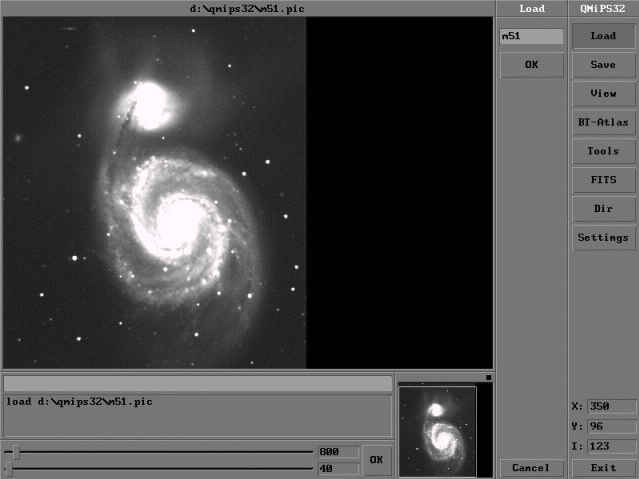
QMiPS32 This
application was created by the french experts Christian Buil in
collaboration with Alain Klotz and Eric Thouvenot, known for their
know-how in the field of CCD Astronomy. It is delivered with the HiSIS CCD
camera.
Running
under DOS protected mode, it only requires a 80386 or higher processor and
16 MB RAM. This product hid however a 32 bit program including all
pre-processing operations and a professional looking GUI. Among its most
astonishing commands there are photometric analysis, planetary
cartography, polarimetric analysis, wavelets analysis, astrometry when
connected to an external CD-ROM like the Guide Star Catalog, blink
comparison for moving or new objects seraches like supernovae, asteroids
or comets. Advanced
CCD users will find its numerous advanced filters very useful. There are
for example the classical arithmetical functions like add, substract,
average (median sum), functions like logarithmic scaling and unsharp
masking but also the famous Maximum Entropy or Lucy-Richardson restore
functions and a Radial
Gradient to enhance the sharpness and details of your pre-processed images.
This
program can also read the Buil-Thouvenot CD-ROM Atlas (BT-Atlas) and import 8 or 16
bits FITS, SBIG, BMP, TIFF and ASCII format, plus a convenient raw format. QMiPS32
runs on 80486 processors and higher with at least 8 MB RAM. I warmly recommend
it.
|
|


(c)
1999-2000 CCDSoFT
France
|
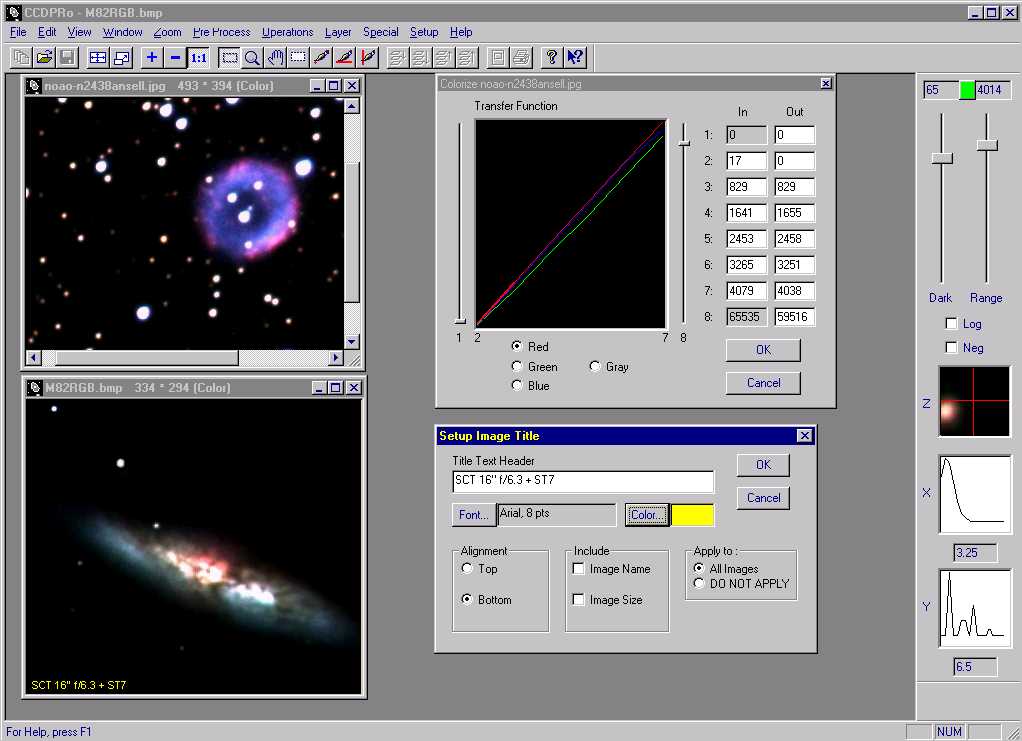
CCDPro This
program is quite similar to Picture Window Pro and comes with a very
convenient help menu as well a computer status. Its
main advantage is to use dynamic tools or toggle which display in
real-time the effects of an alteration, the number of pixels replaced,
etc. It includes standard alteration functions on images geometry or color
saturation and provides a small pixels editor. Layers can also be sent
back or in the foreground and a text can be add to your images. Some
pre-processing features like Dark & Frame use offset, dark frame and
flat field images to substrat all errors when using a CCD camera. Of
course this option is a time-processor hungry even of fast Pentium III
systems. It is completed with a Kill Warm and Cool pixels function. Written
by imaging experts, there is a specific Operations menu which includes
filtering functions like Convolution and Out-Range and the famous Maximum
Entropy and Lucy-Richardson restore algorithms, both using the PSF
to compute the stars profile. Last
but not least, CCDPro allows you to split a color picture in its RGB
components or to create color composites from accurately aligned B/W
layers, to modify the contrast, brillance, the size or even the X,Y shift
of each of your layers. Minus
sides, by definition the RGB split cannot extract the luminance channel
although the Multi-Layers submenu can create a LRGB picture. The zoom is
limited to a range 8:1-1:8 and there is no gamma corrector excepted by
creating a mask. The pixel editor replaces only pixels by averaging its neighbors
values and 16 colors mode is not
supported. But
CCDPro supports 8 bit/pixel palletized (256 colors) and 24 bit/pixel (true color) BMP
formats. It saves in ST7, FITS, BMP or JPG format. Black & White images are exported using a 256 levels gray palette and 8
bits/pixel and color images are exported using 24 bits/pixel. Now
at version 1.1, CCDPro
is available for most Windows 16 or 32-bit platforms.
|
|

(c)
Astroarts, 1999
|
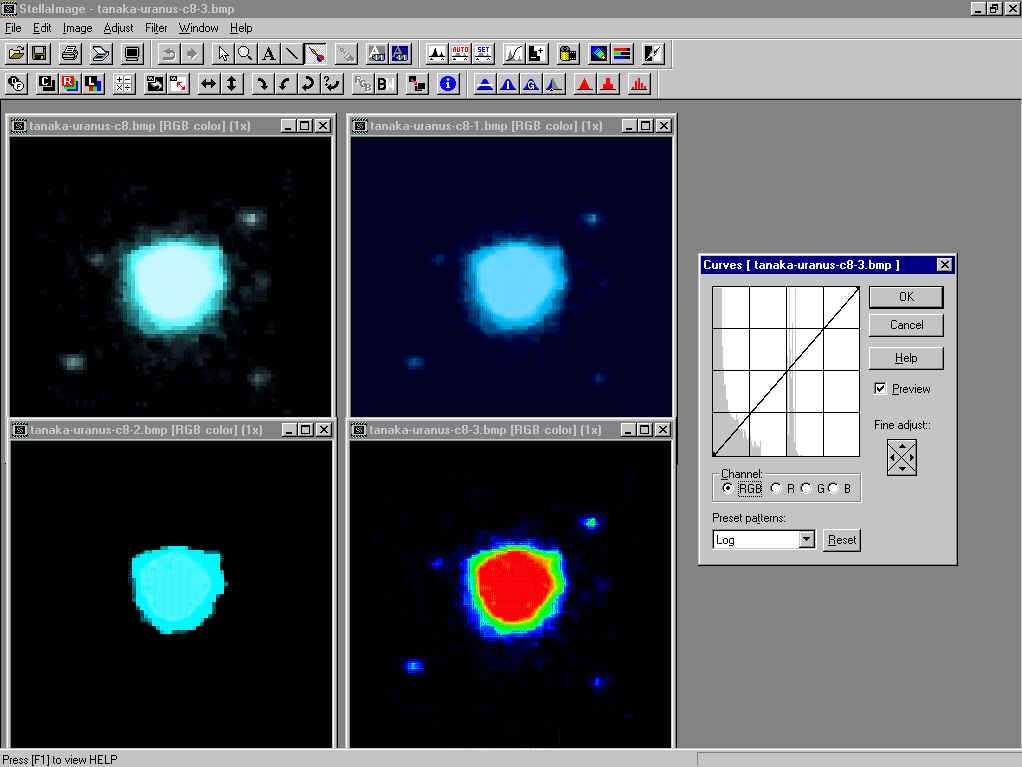
StellaImage
By
chance, surfing japanese websites, I found this program. This is a
relatively complete product with colorful icons including all basic image
processing of cooled CCD images (dark-frame and flat-field correction,
level adjustement). A special digital develpment function allows you to
show natural tone in CCD images by sharpening edges according to the
brightness in the image. This tool emphases details in images by using an
hyperbolic function to convert the gamma characteristic.
The
image processing functions ensure various adjustments that complete
standards alteration functions (resize, shift, rotate, adjuste tone curves
of B/W or RGB channels, alter brightness and contrast).
There
are some filters like a quite simple unsharp mask, bluring and sharpening,
enhancing edges and masking (color emphasis). StellaImage can also
combines images to reduce the noise, adjust the input pixels to darken or
highlight areas and combine RGB or LRGB images to create color composites.
To interpret a contrast, an histogram of image tones is available as well
as a palette to create a four false colors image.
Not
all functions display a preview and the undo is hidden in the pull-down
menu. StellaImage can directly control Twain scanner and read normal
photographs. Now at version 2, StellaImage is provided without support and
runs on all Windows 32-bit platforms.
|
|


(c)
1991-2010
Jasc
Software,
$69.99
|
PaintShop
Pro Easy
to use, full of icons it is pleasant to use at first run. Although it
looks like MS-Photo Editor it is more powerful than its concurrent. Its
interface is accessible to all even to beginners without much
brainstorming. Plus
sides, PSP on-line help is very convenient and answer to all your waits.
More easily than probably some other products, it can alter images,
both in size and colors, create special effects, adjust hue of a specific
layer or extract the outline of an object (magic wand) to create masks,
etc. You can also place a text on a path and bending it
to any custom shape. It contains all paint tools you need, use vector
drawing tools, a color gradient editor and a capture module. You can also add watermarking for embedding and
reading copyright in your images. PSP manages thumbnails too in various
sizes, an easy way to
browse your subdirectories in place of using the standard explorer searching for
a specific image. PSP comes with a
second application call Animation Shop2 able to use AVI and Autodesk
animations formats. At last
through its Twain interface, it provides
direct support for many of the most popular digital cameras. Now
at version X3, PSP can export in transparent GIF and JPEG and supports PostScript and Adobe
Photoshop PSD formats.
|
|

(c)
1988-2010, Corel, $89
|
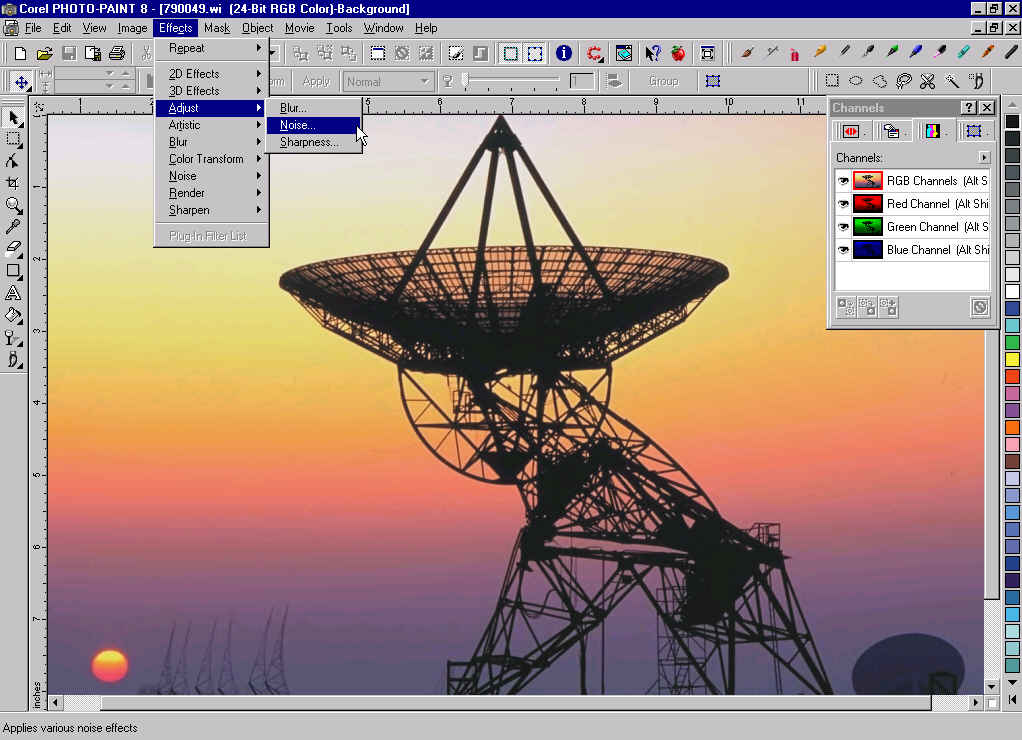
Photo-Paint This program
was included in the Corel Ventura 8 package. Now it is sold separately as
PaintShop Photo Pro. This
program is pleasant to use and really powerful. It looks as if it was
designed with the end-users requests in mind. For example, the menu
toolbar is user definable and many tools can be extracted from the toolbar
and moved on your desktop if necessary. In case of problem you can always
take a look at the on-line tutor, not complete but useful for
inexperienced users. As
many modern products it can directly acquire images from scanner or
digital camera. It uses all standard image alterations tools and give you
also the opportunity to manipulate 3D models. Masks and transparencies
haven't be forgot. You can create them, add them to your original and
enhance this way your images in a few mouse clic. A
Scrapbook is also available to drag-and-drop objects from your CD or any
FTP site, to find files and folders. All images can be displayed as
thumbnails. Among its
unusual qualities it can create movies and save them in AVI or GIF
format. That means that it can also read animations GIF and alter its
individuals frames as any other picture. Among its special tools you can
select a part of an image and transform it as you want or use the
predefined special effects. All tools you are using open a small floating
windows in which you can optionally see a preview of your alteration. You
can also use a scripting module to automatically create text or background
with special appearance.
Color and printing are spectacular as it is able to manage up to 48-bit
RGB images, to convert to NTSC or Adobe Postscript3. It can load or save in
over 70 files format. At
last Corel gives you access to his on-line newsgroup to get a free flow of
information and a technical support mainly driven by Corel volunteers. Now
at version PaintShop Photo Pro X3, it runs on all Windows platforms.
|
|


(c) 1998
Microsoft
corp.
Free from Brothersoft
|
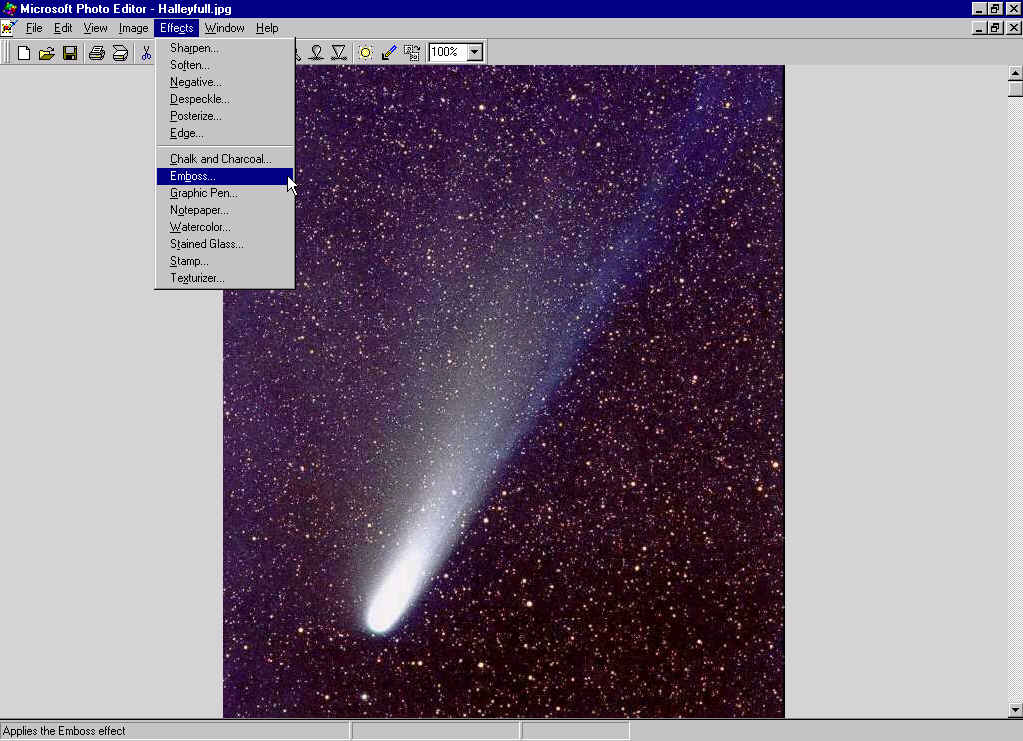
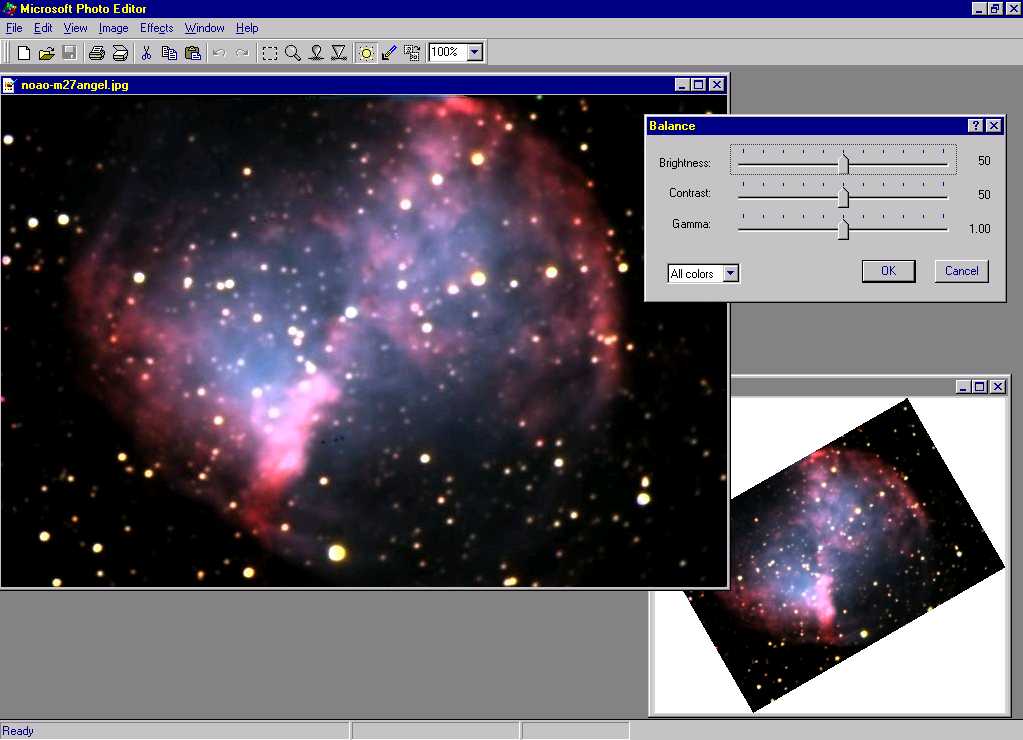
Photo
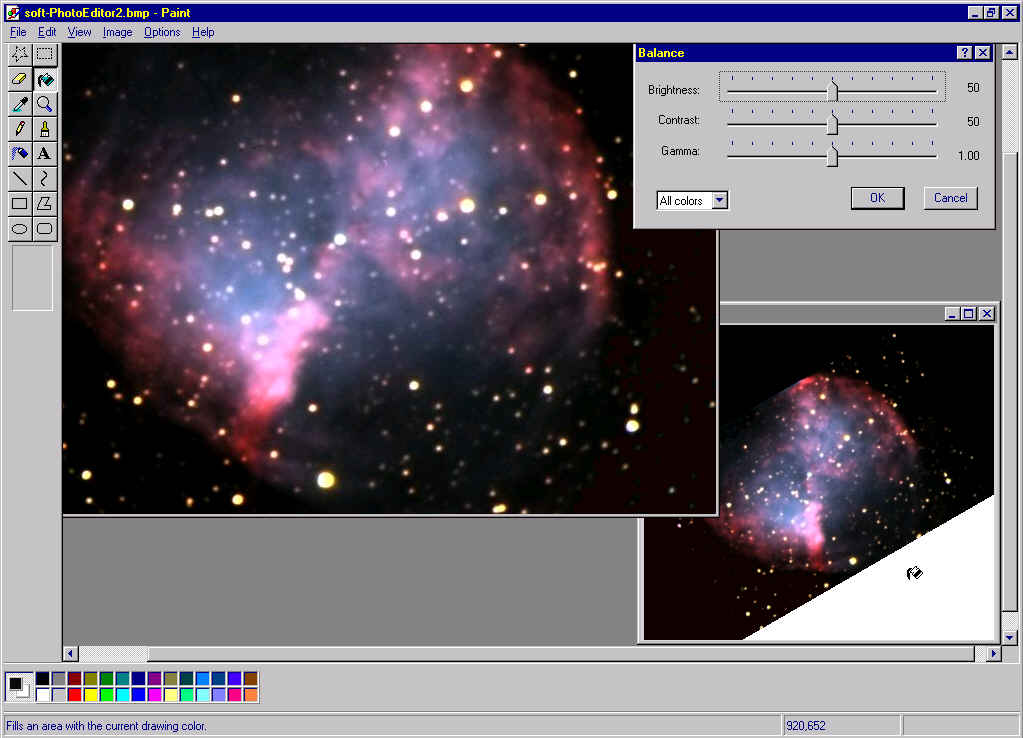
Editor Probably the most
popular imaging tool from Microsoft as it comes with the Office97
Professional package as a graphical option but it not installed by default. Advantage, it is easy to use thanks to its
predefined functions with standard thresholds.
This
product is rather simple and addressed to all the family. It gathers
standard image and colors alterations functions like crop, sharpen,
soften, negative, despeckle, posterize plus the always and very useful dynamic
balance (brightness, contrast and gamma with independent RGB channels) and a few geometric functions (affine transformation and
rotations).
To satisfy
young artists, some "painting"
effects are added like notepaper, watercolor, stained glass, etc. In case
of errors using copy and paste function par example the Undo/Redo is always
welcome or simply to see the effect of your alteration.
Because it is light, fast and intuitive, I sometimes use it to
soften my artworks or to modify the geometry or the balance of my electronic images.
Hiatus,
most filters have very limited thresholds, there is no arithmetic
function, no possibility to register images, no way to merge images or create composites,
doing astrometric calibration, no plotting data or way to measure images or creating filters.
At last using high detailled images (say larger than 10 Mpixels), the process sometimes
stops working at mid-way or is unable to open the file or to display the preview, displaying a
"not enough memory". It is also limited in reading to file smaller
than about 4.5 MB on disk.
PhotoEditor
read and save in various formats including BMP, GIF, JPEG, TIFF or Kodak
Photo CD. Frozen at version 3.01, it is included in Office97 Professional Pack
and can be downloaded free of charge from Internet.
|
|

(c)
1999,
Registered
Steven S.Tuma & Dean
Williams
|
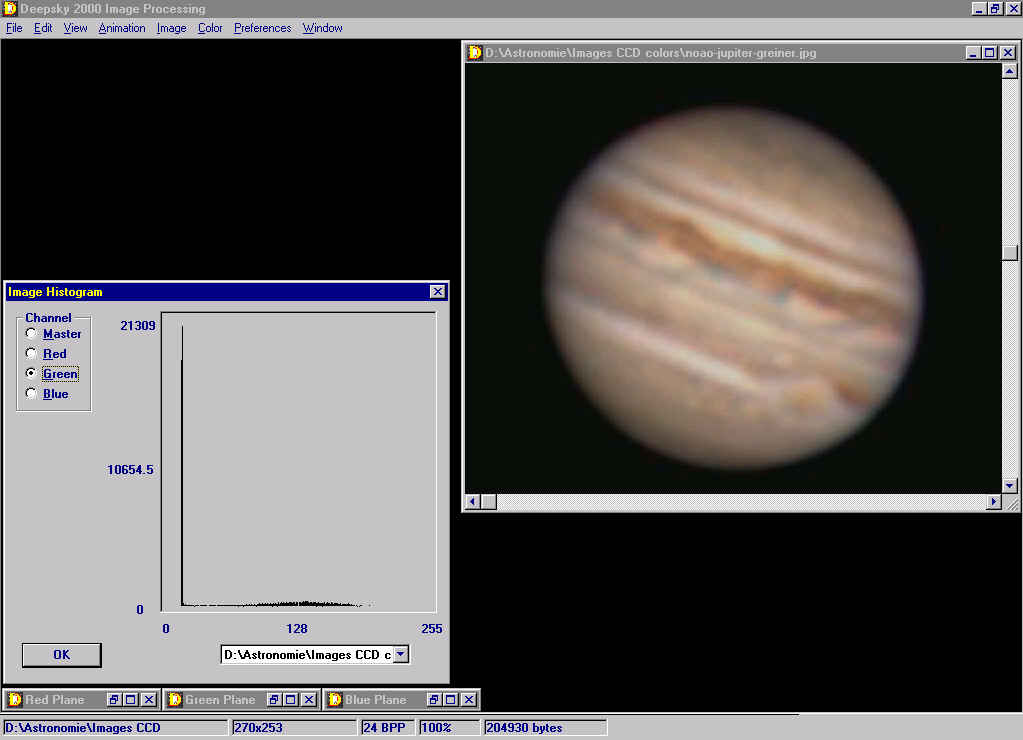
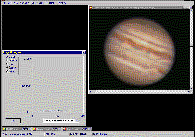
Deep
Sky 2000 Image processing
Inside
the well-known planetarium software featured in another page
of this web, there is this IP module that presents some original features.
Aside of standards imaging
functions like colors and image alteration (hue, brightness, size, etc), it includes a shearing option
able to stretch images.
Plus sides, it uses a TWAIN source to acquire images and is able to create
animations.
At last it saves in a great variety of formats even exotic
ones, from 1 to 32-bits including the Leadtools CMP format which compresses
even more than the JPEG algorithm.
Not
fully tested.
|
|

1995-2001
The University of Texas Health Science
Center, Freeware
|
Image
Tool
This
a complex imaging software able to process 24-bit images. As many others
it uses a TWAIN peripheral to acquire
images. Its functions are quite similar to MS-Photo Editor but here stops
the comparison.
Written
for medical imaging in mind, IT2 is analysis oriented. It takes a deep
usage of special functions like data analysis, tools like elliptical AOI, a spatial and density calibration mode, etc.
IT2
includes all standard tools. It is able to alter image
geometry but rotates images by steps of 90° only, it can adjust balance,
smooth, contrast and sharpness, use masks, functions like gradient, mean,
stack and merge images, substract quantitiative or qualitative one image
from another,... and
includes a small pixel editor among other functions.
At last
its power comes from its built-in scripting module and it may use plug-ins through dll's loading.
Being given this is an alpha version there are still some bugs well
documented that the UTHSCSA
team is currently fixing. Now at version 2c, Image Tool runs on Windows 98, NT 4.0 and
Windows 2000.
|
|
(c)
1992, CompuScope, $699
|
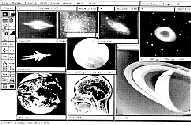
IMAGE-32/PRO There
is something common with MIRA in this software. Written some years ago in
C and assembly languages, this 32-bit program is the fastest I know,
comparable to SUN or VAX workstations and able to display very large
images over 2 K-pixels by side, depending your available memory. More
expensive than MIRA this is in my humble opinion its only competitor. Here
are some of its features : X and Y real-time plots, interactive histogram,
box sum for photometry, interactive 8-bit false color, tricolor merging,
linear and logarithmic displays, histogram equalization and more. In
addition it supports numerous mathematical functions including image
arithmetic and functions, high and low pass filters, edge detection, FFT,
convolutions with various masks, detector flat fielding and you can also
create your own filter kernels. Aside
the standard mathematical functions and filters it offers some photometry
routines like a point source function (PSF) to find stars in images,
background subtracted aperture photometry given relative magnitude and
error estimates. In
fact thanks to its fast manipulation of large data this program is suited
for variable star studies, astrometry, supernova searches, optical
transient, etc. It
supports 32-bit images as well as 4 bytes per pixel real images and is
able to remap 96-bit colors space to 256 colors. It imports numbers of CCD
file formats, NASA IMQ, IMG or IBG format, FITS, GIF, ASCII and binary
files. At last it can drive a Meade LX200 and SSC series telescope and
control various CCD cameras. Already
at the time of its first publishing, the manufacturer suggested to use a
80386 with math coprocessor or higher CPU, 8 MB RAM and an SVGA 1024x768
display. A 24-bit display adapter is highly recommended.
|
|


(c)
1990, Astro Equipment, 1600 FRF (~$250)
|
PRISM This is
a French product developed by professional astronomers and image
processing specialists. Using a professional-like GUI this is a program
similar to MIRA but simpler and voluntary dedicated to amateurs. It
includes more than 180 functions, among which standard arithmetical and
geometrical functions, filters like unsharp mask, Gauss, low and
high-pass, gradient, user-defined convolution and more. It is completed
with wavelets analysis, image restoration by deconvolution, FFT,
rotational gradient to enhance radial structures like comets, black optimization,
flat-field frame generator (median filter), polynomial gradient correction
and an expert programmation mode. The
image analysis module is quite complete providing photometric measurements
and astrometric analysis (by centroiding calculation and stellar modeling)
to extract stars from the continuous background with error estimates and a
blink mode to search new objects. The
visualization mode accepts bilinear zooms and B-spline, isophotes, 3D
views, trichromy, drawing functions and animations. Created
in the early 90's, this program runs on 80386 and higher processor with 2
MB RAM and SVGA monitor but negative point it only displays a maximum of
256 colors (an 8-bit display adapter is enough). So distracting artifacts
can show up in areas of subtle colors variation such as clear skies. Good
to know, dozen of raw images are provided with the program.
|
|

(c)
1990-2000,Microsoft
Corp
Registered
|
MS-Paint
Supplied
with the Microsoft Windows OS, this is a very simple product that a 4 years old kid can use to draw colored circles, box and write text in
various sizes and fonts and zoom in. Its
rotation tool beeing limited to flip in both directions and rotate at 90,
180 or 270°, I mainly use it for its ease to use, for its capabilitiy to fill in
an area with the
exact tint, for its free selection able to extract any custom part of the
image and to copy it elsewhere, its possibility of superimpose several
images, to mirror or reverse it, as many features that are not so easily
or quickly accessible in more powerful tools like Picture Window Pro or
Photoshop. MS-Paint can also be useful to create small plain
color bitmaps for illustrating purposes. MS-Paint saves only in
monochrome, 16 or 256 colors bitmap and 24-bit color. The
product is included in most Windows OS from 95 to Seven.
|
|

(c)
1990-91
ULead Systems,
Inc.
|
Photo
Styler
Known
for his GIF Animator and other Web tools, ULead published in early '90 this
Windows 3.1 product that satisfied me before I bought some more powerful tools.
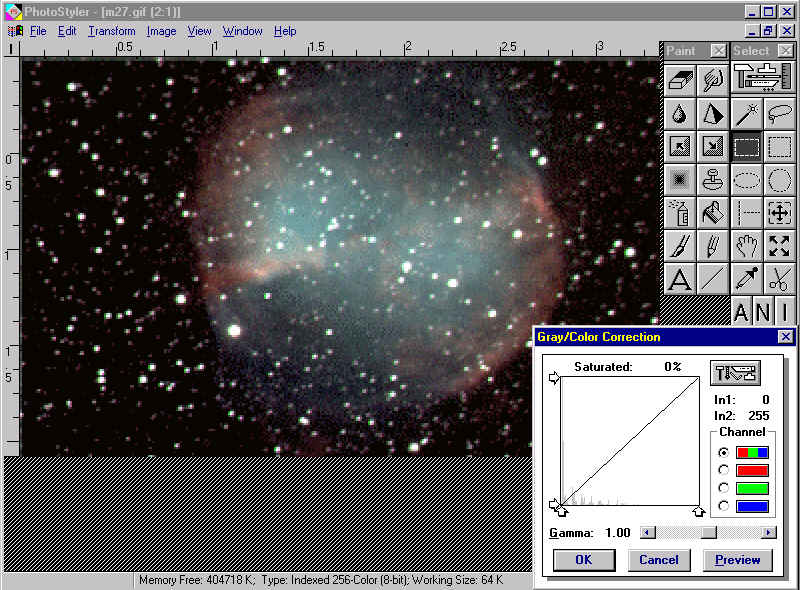
It can really be used by newbies. If you know something about gamma and mask
technique, this
product is yours. It is able to alter easily images both in colors and
sizes and comes with a complete pixel editor. It
also includes several distortion functions, 2D and 3D-spatial effects.
Only counterpoint, it only supporting TIFF, PCX, GIF, EPS and some old
formats in 256 colors.
I mention
it if you are looking for a software running on 8-bit OS but it
runs also fine on 32-bits OS as Windows NT in a separate memory space. Only
problem it cannot read all TIFF images but only the non-compressed and
LZW formats.This old application uses also the short file name format when
displaying long filenames (6~n.3).
|
|
(c) 2000, K.Tanaka,
$89
|
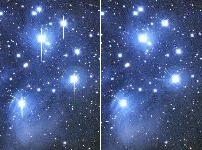
Anti-blooming
filter software
This
anti-blooming routine of a few dozen KB runs under Windows. This simple but powerful
routine is able to suppress strikes on digital pictures taken with a CCD
camera not equipped with an anti-blooming filter. It is dedicated to
Apogee, Meade and SBIG CCD and read 16-bit FIT images.It
can be used standalone or as a plug-on to MaxIM/DL.
Available
from Starizona
under the name "ABF21-CD". Really, a must.
By
the way, Kazuyuki Tanaka is an expert in optics and has collabored to this
website in illustrating several reports (about turbulence, in the image
gallery, etc).
|
|
|
Take
a look at my Digital
Darkroom menu for more detail about image processing |
Back
to Reports & Reviews
|